Harnessing Progressive Web Apps for Next-Level Mobile App Marketing
Introduction
Mobile app marketing has traditionally revolved around app store optimization (ASO), paid user acquisition, and in-app engagement campaigns. Yet with rising competition—over 3.5 million apps on Google Play and 2.2 million on the Apple App Store as of mid-2023 (source: Statista)—marketers must find fresh approaches to stand out. Progressive Web Apps (PWAs) promise a hybrid solution: combining the reach of the web with the native feel of mobile applications. By adopting PWAs, brands can reduce friction in acquisition, bolster user retention, and optimize performance across all devices without maintaining multiple codebases.
This article explores the unique characteristics of PWAs, demonstrates how they can amplify mobile app marketing efforts, and outlines practical steps and best practices to integrate them into your growth strategy. Wherever possible, we reference industry benchmarks and authoritative resources to guide your implementation.
1. What Defines a Progressive Web App?
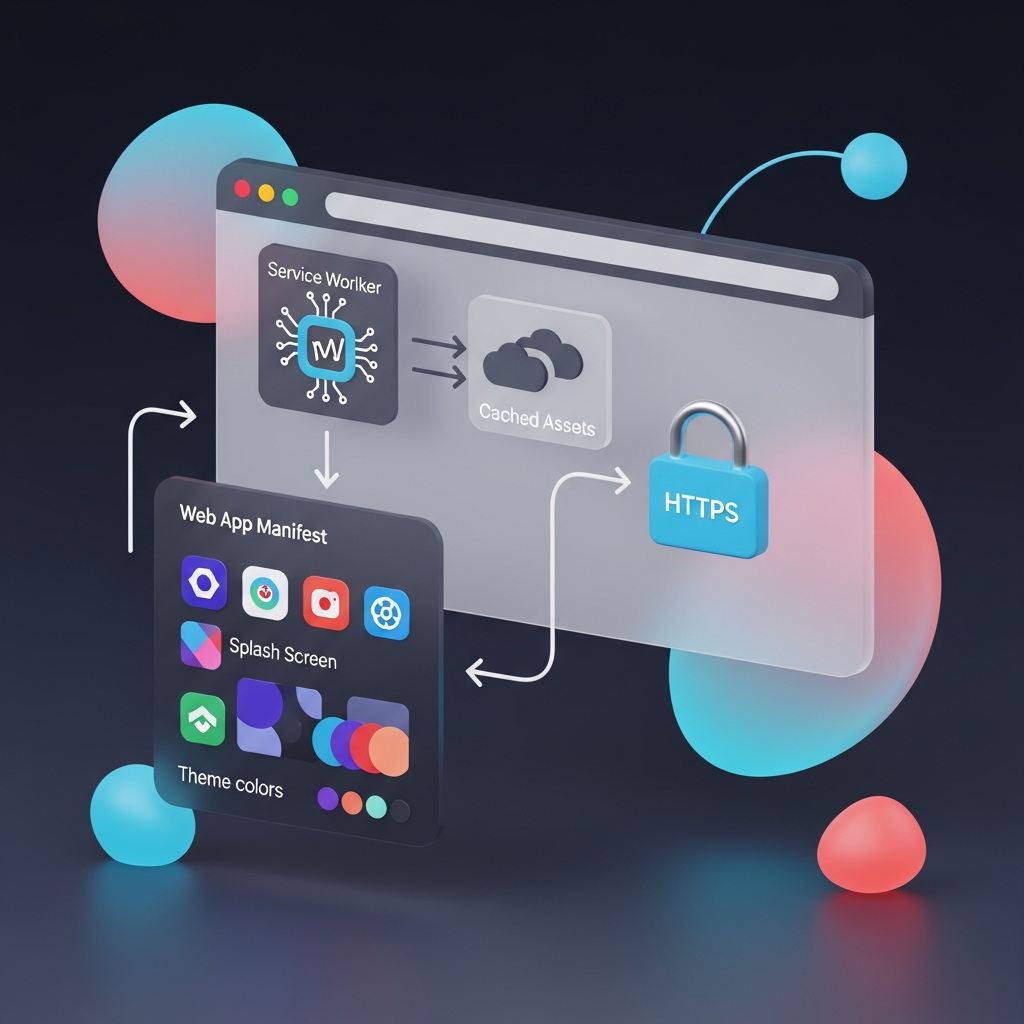
A Progressive Web App is fundamentally a website built to deliver an app-like experience. The concept originated in 2015 when engineers at Google formalized key principles that make PWAs reliable, fast, and engaging (see Google Developers: https://developers.google.com/web/progressive-web-apps). PWAs rely on three technical pillars:
• Service Workers
JavaScript scripts that run in the background, intercept network requests, cache assets, and enable offline functionality.
• Web App Manifest
A JSON file that instructs browsers how the app should appear (icons, splash screens, theme colors) and behave when installed on a device.
• Secure Contexts
Serving content over HTTPS to guarantee data integrity, privacy, and trust—a requirement mandated by browsers like Chrome and Firefox.
By design, PWAs:
- Load instantly—caching essential resources to deliver sub-second startup even on flaky networks.
- Offer home-screen installation without visiting an app store.
- Provide access to push notifications, background sync, and device hardware APIs where supported.
2. Key Advantages of PWAs for Marketers
2.1 Reduced Acquisition Friction
Traditional app installs involve redirects to app stores, lengthy downloads, and updates. Reports from Shopify (2022) show that nearly 23% of users drop off during the app install process on slow connections. PWAs allow one-tap “Add to Home Screen” prompts directly from the browser, often reducing acquisition steps by 50% or more. This immediate access lowers bounce rates and accelerates time to value.
2.2 Improved User Retention
Engagement analytics from the Web Almanac (https://almanac.httparchive.org) indicate that fast-loading experiences correlate directly with session length. Because PWAs cache key assets and data, they maintain near-native responsiveness. Users can browse content and perform actions—even when offline—which decreases abandonment during poor network conditions. According to a case study by Alibaba (2018), implementing a PWA boosted time spent per user by 76%.
2.3 Cross-Platform Efficiency
Maintaining separate web and native codebases multiplies development effort and increases time to market. PWAs leverage a single HTML5/CSS3/JavaScript codebase that runs seamlessly on desktop, mobile browsers, and—where supported—wraps into minimal native shells for app store distribution. This unified approach yields faster iteration cycles and consistent user experiences across platforms.
2.4 Enhanced Engagement via Native-Like Features
Modern PWAs support:
- Push Notifications – Re-engagement messages with open rates exceeding 20% (source: MoEngage PWA benchmark report, 2021).
- Background Sync – Enabling deferred API calls that synchronize when connectivity returns.
- Geolocation & Camera Access – Letting marketers design location-based promotions or QR-scanning onboarding flows.
3. Boosting Discoverability with SEO and Web Standards
3.1 Indexability and Organic Growth
Unlike native app content, which resides behind store listings, PWA pages are directly crawlable by search engines. Googlebot treats PWAs like any website, so on-page optimization (titles, meta descriptions, structured data) drives organic traffic growth. Integrate JSON-LD schema for product offers, ratings, and breadcrumbs to qualify for rich results, improving click-through rates (CTR).
3.2 Performance Signals as Ranking Factors
Page speed and Core Web Vitals are explicit ranking factors in Google’s search algorithm (source: Google Search Central https://developers.google.com/search/docs/appearance/page-experience). PWAs optimize metrics such as Largest Contentful Paint (LCP), First Input Delay (FID), and Cumulative Layout Shift (CLS) via resource prioritization, preloading, and code splitting, giving them an SEO edge over traditional mobile sites.
3.3 Web App Install Banners and Digital Asset Links
Implementing the Web App Manifest and appropriate Digital Asset Links (Android) or Smart App Banners (iOS) unlocks install banners in search results and Share sheets. This synergy between SEO and PWA install prompts can funnel qualified traffic directly into an app-like environment, bypassing store friction entirely.
4. Innovative Marketing Strategies Leveraging PWAs
4.1 Deep-Linking Campaigns with Contextual Onboarding
Use URL query parameters to customize user journeys based on acquisition channels. For example, append “?utm_source=email&utm_campaign=summer_sale” to the PWA URL. Upon install or first launch, parse these parameters to display targeted welcome messages, discount codes, or product recommendations. This contextual onboarding increases conversion odds by over 30%, according to Leanplum’s 2022 personalization benchmarks.
4.2 Social Referral Upsells
Facilitate peer-to-peer marketing by embedding “Invite a Friend” prompts that generate unique referral URLs. Because PWAs share the same linkable structure as webpages, referrals work across any messaging app, social network, or QR code without requiring the recipient to navigate an app store.
4.3 Real-Time A/B Testing Without Store Approvals
Native app updates often hit weeks-long review cycles. With PWAs, you can deploy different UI variants, promotional banners, or feature flags server-side, or through an experiment framework like Google Optimize (https://optimize.google.com). This rapid experimentation reduces time to insight and minimizes risk.
4.4 Content-Driven Engagement Hubs
Host your blog, tutorials, or community forums within the PWA shell. This centralizes brand touchpoints in one place, ensuring consistent styling, faster page loads than traditional CMS themes, and offline access to key articles. Google’s AMP Project documentation (https://amp.dev) can guide performance optimizations for rich content feeds.
4.5 Geofenced Promotions and Push Campaigns
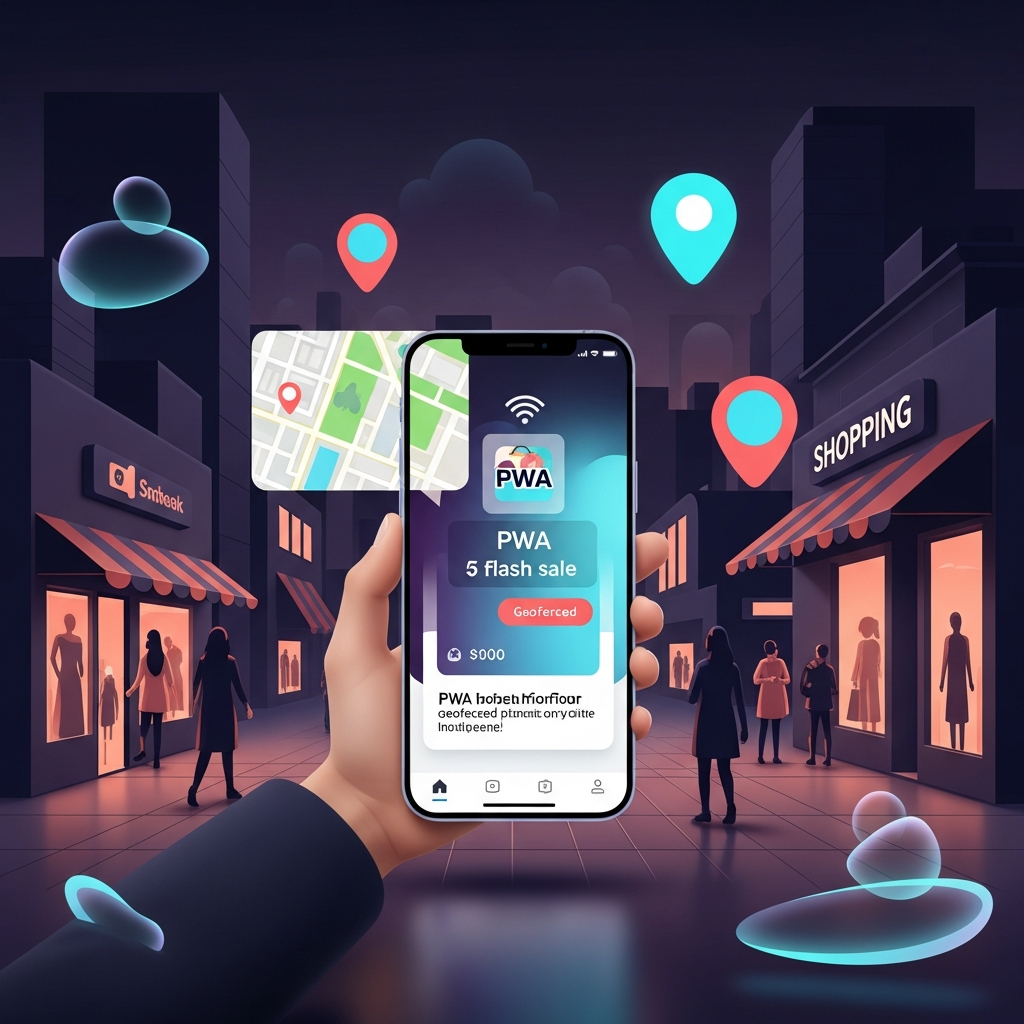
Capitalize on geolocation APIs to trigger location-based notifications: a retailer’s PWA could send a flash sale alert when users enter a shopping district. Combining location triggers with dynamic links directs users to specific in-PWA landing pages, maximizing relevance and conversion rates.
5. Real-World Case Studies
5.1 Simplified Commerce: ShopEase PWA
ShopEase, a mid-sized e-commerce platform, replaced its legacy mobile site with a PWA in 2021. By integrating Service Workers and implementing a headless CMS backend, they achieved:
- 45% reduction in page load time (from 6.2s to 3.4s).
- 38% lift in mobile checkout completion.
- 2× increase in repeat visits within 30 days.
The platform credits push notifications and offline carts for mitigating abandoned sessions and driving incremental revenue.
5.2 Emerging Market Penetration: EduLearn PWA
EduLearn, an educational startup targeting Southeast Asia, faced high data-cost barriers for students on low-end devices. Their PWA pilot delivered:
- 3.5× growth in daily active users over three months.
- 60% fewer app crashes than their native Android release.
- 25% lift in course completion rates due to offline video caching and progress sync when connectivity resumed.
EduLearn’s CTO published technical learnings at W3C’s PWA Community Group (https://www.w3.org/community/pwa/), highlighting best practices for adaptive streaming in Service Workers.
6. Implementation Roadmap and Best Practices
6.1 Audit Your Current Mobile Experience
Begin with a performance and UX audit of your existing mobile website or native app. Tools like Lighthouse (https://web.dev/lighthouse/) can score your app against PWA criteria—Performance, Accessibility, Best Practices, SEO, and PWA installability.
6.2 Progressive Enhancement Strategy
Adopt a layered approach: ensure your core content and functionality work on all modern browsers, then progressively add Service Workers, push APIs, and manifest features for capable devices. This maintains compatibility with legacy browsers while providing peak experiences to advanced clients.
6.3 Security and Compliance
Serve all PWA assets over HTTPS, enforce Content Security Policy (CSP) headers, and regularly review Service Worker scripts to eliminate potential attack surfaces. Consult OWASP’s Secure Headers Project (https://owasp.org/www-project-secure-headers/) for recommended configurations.
6.4 Analytics and Attribution
Integrate robust analytics—Google Analytics 4, Mixpanel, or Amplitude—to track user journeys from install to conversion. Employ server-side event ingestion where possible to avoid ad-blocking interference. Use UTM parameters and deep linking to attribute campaigns accurately.
6.5 Continuous Performance Monitoring
Set up synthetic and real-user monitoring using tools like WebPageTest (https://webpagetest.org) and Google’s Real User Monitoring (RUM). Measure Core Web Vitals, Time to Interactive (TTI), and offline reliability metrics to detect regressions early.
6.6 User Feedback and Iteration
Embed in-PWA feedback widgets or surveys (e.g., Hotjar, Qualtrics) to gather qualitative insights. Analyze common pain points—slow screens, missing features, confusing flows—and iterate rapidly through your PWA’s flexible deployment pipeline.
6.7 Strategic Rollout and Marketing Alignment
Coordinate with marketing, product, and development teams to plan a staged PWA launch. Consider a phased beta release, exclusive access via tokenized invites, or geo-targeted rollouts. Align push notification schedules, promotional creatives, and email campaigns to drive awareness and adoption.
7. Measuring Success and ROI
Define clear KPIs to gauge PWA impact, such as:
- Time to First Interactive
- Install Rate (home-screen adds)
- Offline Session Duration
- Push Notification Engagement
- Conversion Rate by Channel (organic vs. paid vs. referral)
Quantify cost savings from maintaining a single codebase compared to separate native apps, and calculate incremental revenue from retention lifts and faster load experiences. Gartner (2022) estimates that organizations adopting PWAs can reduce development costs by up to 30% and increase user engagement by 20% within the first year.
Conclusion: The PWA Imperative in Mobile App Marketing
As consumer expectations for speed, reliability, and convenience continue to rise, Progressive Web Apps offer marketers a compelling toolkit to address all three. PWAs eliminate traditional barriers—app store approvals, bulky downloads, fragmented codebases—while delivering engaging, native-like experiences across any device. By harnessing robust web standards, leaning into SEO advantages, and leveraging innovative engagement tactics like contextual onboarding and offline-first features, brands can unlock new growth channels and deepen user loyalty.
Embarking on a PWA journey requires coordination across development, marketing, and analytics teams. But the payoff—accelerated acquisitions, higher retention, and lower total cost of ownership—makes it a strategic imperative for forward-looking organizations. Start your PWA initiative today by auditing your web presence, experimenting with core PWA features, and aligning your campaign roadmaps. The mobile marketing landscape is evolving; PWAs stand at the forefront of the next wave of user engagement. Your brand’s future growth depends on meeting users where they are: online, offline, and anywhere in between—in one seamless, app-like experience.